QuickTime Alternative Installation - instructions (for MS Windows XP/2000 users)
step 2
- It is recommended to close all open applications before installing the program. It is especially necessary to close any web browsers and other applications using Flash.
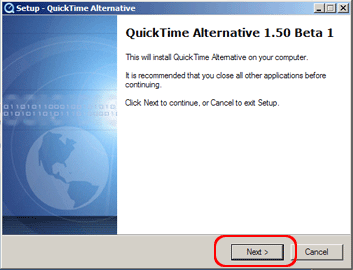
- Installing begins with the "Setup - QuickTime Alternative" dialog box. Click "Next >" to continue.
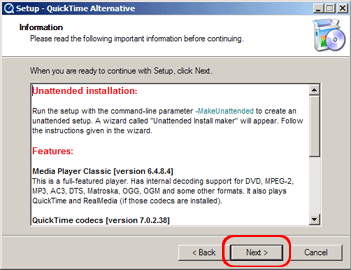
- On the product information box click "Next >" to continue.
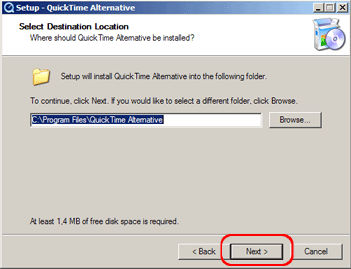
- We recommend keeping the suggested file path and click "Next >" to continue.
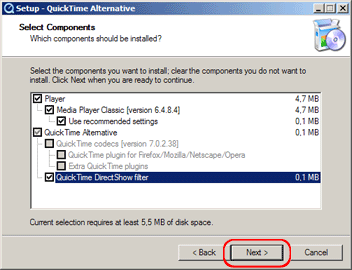
- Again, keep the suggested installation parts and click "Next >" to continue.
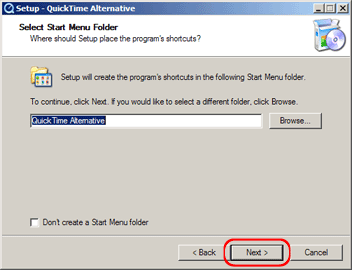
- Change or keep the file name as needed and click "Next >" to continue.
- Start installation by clicking "Install".
- After successful installation click "Finish".