QuickTime Installation - instructions (for MS Windows users)
step 1
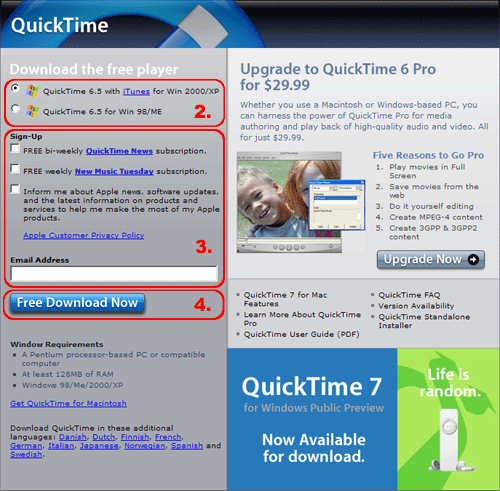
- Go to Apple website (http://www.apple.com/quicktime/download/win.html). The following page will appear:
- Make sure the operating system you're using is checked.
- If you do not wish to receive email notifications about QuickTime updates, make sure all boxes are unchecked.
- Click "Free Download Now".
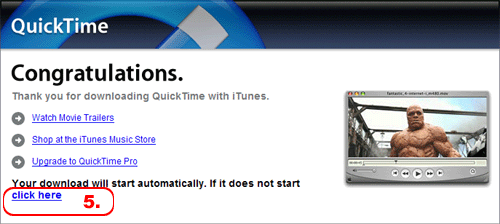
- In the Download dialog box click "Open". If the computer's security system doesn't allow you to open the file, click "Save", choose a current or create a new folder and click "Save" again. Downloading of the installation file (22 MB) will start. When finished, double click on the saved file to install.